AI & Automation
A Practical Framework for Adopting Chatbots and Automation in Customer Support
Why Adopt Chatbots and Automation?
Customer support teams face rising ticket volumes and increasing demand for faster responses. Chatbots and automation offer an effective way to handle routine inquiries, freeing agents to focus on complex issues. However, without a structured approach, businesses risk poor implementation that frustrates customers and wastes resources.
This guide provides a practical framework for adopting chatbots and automation thoughtfully, ensuring they deliver measurable impact.
Step 1: Define Clear Objectives and Success Metrics
Start by identifying specific goals for your chatbot and automation initiatives. Common objectives include:
- Reducing average response and resolution times
- Lowering ticket volume for human agents
- Improving customer satisfaction scores
- Increasing self-service usage
Define measurable KPIs upfront, such as:
- Percentage of tickets deflected by the chatbot
- Average handle time reduction
- Customer satisfaction (CSAT) ratings on bot interactions
This clarity helps prioritize features and evaluate success objectively.
Step 2: Map Customer Journeys and Identify Automation Opportunities
Analyze your most frequent customer inquiries and support workflows. Which requests are repetitive and rule-based? Examples often include:
- Password resets
- Order status checks
- Basic troubleshooting
Map these scenarios to determine where automation can best assist. Avoid over-automating complex interactions that require empathy or nuanced understanding.
Step 3: Choose the Right Tools and Integrations
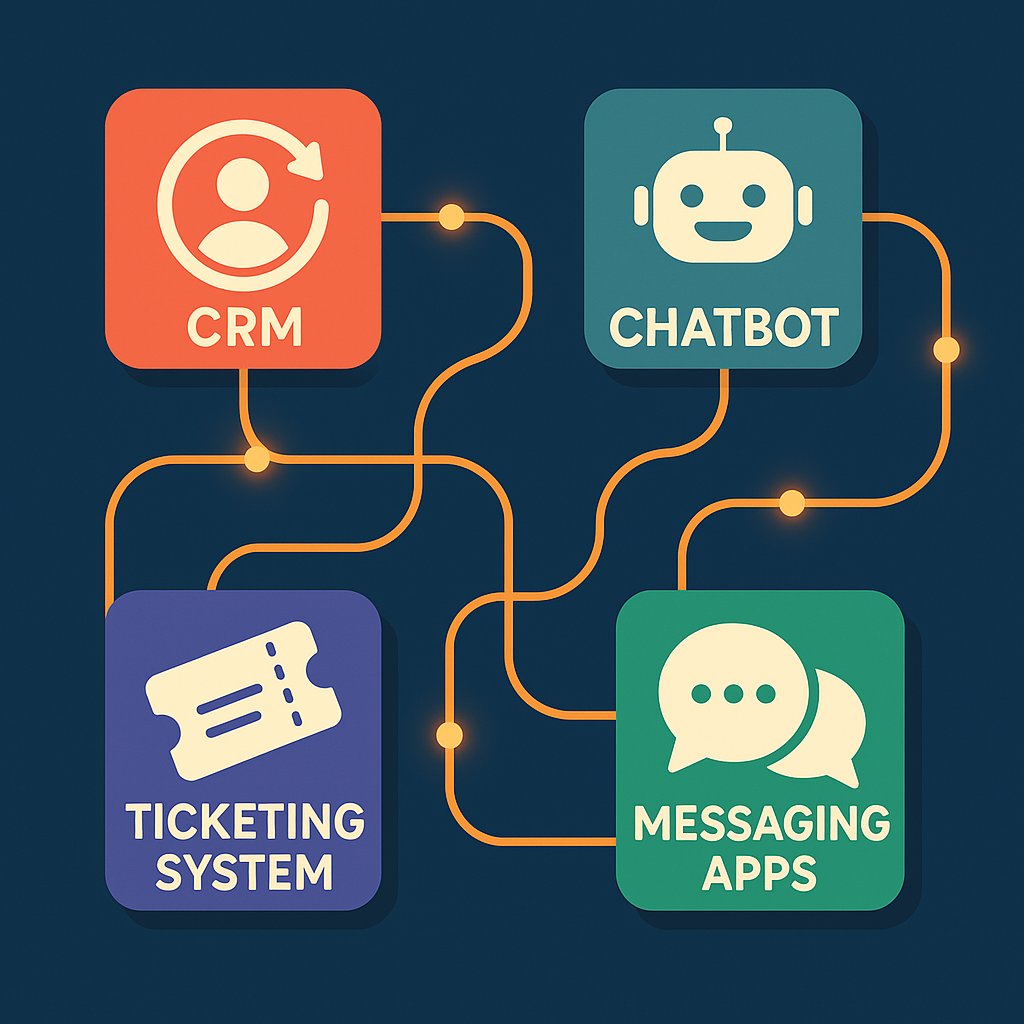
Select chatbot and automation platforms that align with your existing tech stack and support channels. Key capabilities to look for:
- Natural language processing (NLP) for understanding varied customer inputs
- Seamless handoff to human agents
- Integration with your CRM and ticketing systems
- Support for omnichannel communication (chat, email, SMS, WhatsApp)
AItocha’s Omnichannel Inbox and Automations & Workflows features offer robust support for these needs.
Step 4: Develop and Train Your Chatbot
Create conversational flows based on your mapped scenarios. Focus on clarity and simplicity to avoid frustrating customers. Incorporate:
- Quick reply buttons to guide users
- Escalation triggers for when the bot cannot resolve an issue
- Personalization by pulling data from customer profiles
Use historical support data to train the chatbot’s AI and enhance its accuracy over time. Regularly update the Knowledge Base feeding the bot to keep responses fresh.
Step 5: Pilot and Gather Feedback
Before full deployment, run a controlled pilot with a subset of users and support agents. Monitor:
- Bot performance against KPIs
- Customer sentiment and feedback
- Agent feedback on chatbot handoffs
Use insights to refine responses, fix gaps, and improve conversational design.
Step 6: Launch and Continuously Optimize
Roll out your chatbot and automation at scale once confident in its performance. But adoption doesn’t end there:
- Continuously monitor metrics with tools like AItocha’s AI & Analytics dashboard to identify improvement areas
- Regularly update conversational content and automation rules
- Use QA & Coaching features to train agents on best practices for working alongside bots
Automation is a journey, not a one-time fix.
Real-World Example
An e-commerce company implemented a chatbot to handle order tracking and return requests. By integrating their chatbot with their CRM and ticketing system, they automated 40% of incoming queries, reducing agent workload significantly. They monitored performance metrics and iterated conversational flows monthly, resulting in a 15% increase in CSAT scores.
Conclusion: Practical Steps for Success
Adopting chatbots and automation effectively requires:
- Clear goals and KPIs
- Understanding your customers’ common issues
- Choosing compatible, feature-rich tools
- Thoughtful chatbot design and training
- Pilot testing and feedback loops
- Ongoing monitoring and optimization
Following this framework will help your support team leverage automation to improve productivity and customer satisfaction without sacrificing quality.
Explore how AItocha’s Chatbots and Automation platform can support your journey or try a Live Demo to see it in action.
For more on optimizing support operations with automation, check out our blog post on How Top Companies Use Chatbots and Automation to Scale Customer Support.