Support Operations
How to Build a High-Performing SaaS Support Operations Strategy from Zero
Why most SaaS support teams feel broken before they scale
A lot of SaaS companies make the same mistake: they hire support agents before they build support operations. The result is predictable—tickets pile up, answers vary by rep, and managers spend more time firefighting than improving the customer experience.
If you are starting from scratch, the goal is not to build the “perfect” support org on day one. It is to create a system that can handle today’s volume, make tomorrow’s growth manageable, and give you enough data to improve without guessing.
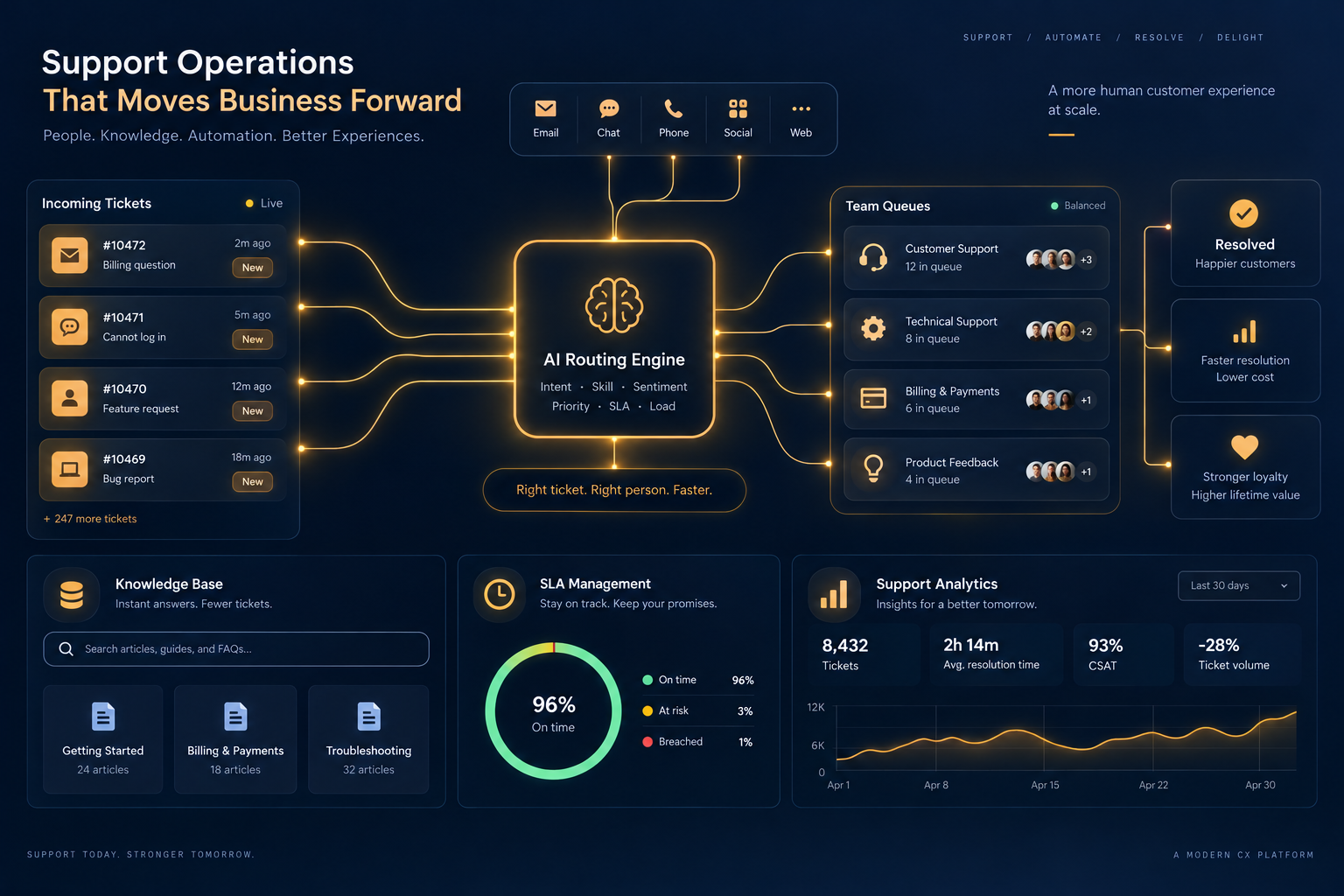
That means support operations needs to cover more than ticket replies. It includes intake, routing, knowledge management, SLAs, QA, reporting, team structure, and automation. When these pieces work together, support becomes a growth function instead of a cost center.
Start with the customer problems, not the org chart
Before defining queues or hiring plans, look at the actual reasons customers contact you. In a new SaaS business, the top 5 ticket drivers usually account for a large share of volume: password resets, onboarding confusion, billing questions, feature access issues, and bug reports.
Pull data from your inbox, live chat, product logs, and sales calls. If you do not have enough data yet, interview 10 to 15 customers and ask:
- What confused you during setup?
- What made you contact support instead of self-serving?
- Which answers did you expect to find in the product?
- What would have helped you solve the issue faster?
This is where a knowledge base becomes strategic. The earlier you document recurring questions, the faster you can deflect repetitive tickets and standardize answers.
Define your support model before volume forces your hand
A strong SaaS support operations strategy starts with a clear operating model. Decide these basics early:
- Which channels you support: email, chat, in-app, phone, or all of the above
- Your support hours and after-hours policy
- Which issues are handled by support vs. success vs. engineering
- Which conversations require escalation
- Whether you support one product line or multiple tiers differently
For example, a B2B SaaS startup with 200 customers might begin with email and in-app chat only, while a product with time-sensitive workflows may need omnichannel inbox coverage across email and voice.
The key is to avoid adding channels you cannot staff well. A half-managed phone line usually creates more frustration than value.
Build a simple ticket taxonomy that everyone can follow
When support teams grow without structure, tagging becomes inconsistent and reporting becomes useless. One agent tags “billing,” another tags “invoice,” and a third tags “payments.” Three names, one problem, no clean data.
Create a taxonomy with 3 layers:
- Issue type — billing, login, bug, feature request, onboarding
- Product area — dashboard, integrations, permissions, reporting
- Severity or impact — blocker, degraded, low priority
Keep it simple enough that agents can use it in under 10 seconds. If tagging takes too long, people will stop doing it.
Once the taxonomy is set, connect it to routing rules and reporting. This makes it easier to identify trends like “billing issues are growing 18% month over month” or “one integration causes 30% of escalations.”
Document answers before you automate them
Many teams rush into automation before they have consistent answers. That creates brittle workflows that amplify bad processes.
Start by documenting the 20 to 30 questions your team answers most often. Turn each one into:
- A help article
- A short internal macro or template
- A clear resolution path for agents
- A decision rule for escalation
This is where Automations & Workflows can save time, but only if the process underneath is already clear. For example, if a customer asks to reset a seat assignment, the workflow can check account status, route the request to the right queue, and notify the customer immediately.
A good rule: if a task happens 50+ times per month and follows the same steps every time, it is a candidate for automation.
Set SLAs that match customer expectations and business value
SLA targets are not just internal metrics. They tell customers what kind of response they can expect and help your team prioritize work.
A practical starting point for SaaS support might look like this:
- P1 / business-critical outage: first response in 15 minutes, continuous updates
- P2 / major workflow issue: first response in 1 hour
- P3 / standard issue: first response in 4 business hours
- P4 / low-priority question: first response in 1 business day
If your team is small, do not promise response times you cannot sustain. It is better to set realistic SLAs and hit them consistently than to advertise aggressive targets and miss them repeatedly.
Tools like SLA Compliance help teams monitor response times, spot risk before deadlines are missed, and keep performance visible across the org.
Design your team structure around the work, not just headcount
A world-class support operation is not just “more agents.” It is a structure that matches the type of work you receive.
A basic early-stage model might include:
- Tier 1 support: handles common requests and straightforward troubleshooting
- Tier 2 support: handles advanced product issues and escalations
- Support operations lead: owns process, reporting, QA, and tooling
- Knowledge owner: maintains help content and macros
If you are too small for dedicated roles, assign these responsibilities part-time. Even 1 person can own reporting and knowledge management if the system is lightweight.
As volume grows, use Teams & Queues to separate billing, technical, and onboarding work so the right people see the right tickets first.
Measure the metrics that reveal operational health
Many support teams track too many numbers and still miss the ones that matter. Start with a small set of operational metrics that tell you whether the system is healthy:
- First response time
- Time to resolution
- SLA attainment
- Ticket backlog
- Reopen rate
- CSAT
- Escalation rate
- Self-service deflection rate
Then add trend analysis. A backlog of 150 tickets may be fine for one team and alarming for another. What matters is whether the backlog is growing faster than capacity.
A report builder makes it easier to compare channels, issue types, and agent performance without stitching spreadsheets together every week.
Use QA to improve consistency, not just catch mistakes
Quality assurance is often treated like a scorecard. In practice, it is one of the best tools for operational improvement.
Review a sample of tickets every week and look for patterns:
- Are agents giving different answers to the same question?
- Are escalations happening too early or too late?
- Are macros being used correctly?
- Are customers having to repeat themselves across channels?
If you score 10 tickets per agent per month, you already have enough data to spot coaching opportunities without overwhelming the team. Pair that with QA & Coaching to turn reviews into targeted feedback, not generic criticism.
Build your knowledge base as a living system
A static help center becomes outdated quickly. In SaaS, product changes, UI updates, and policy shifts happen constantly. If the knowledge base is not maintained, support agents stop trusting it and customers stop using it.
Assign ownership for each article. For example:
- Product onboarding articles: Customer success
- Billing articles: Support operations
- Technical troubleshooting: Support + engineering review
Review the highest-traffic articles every 30 to 60 days. Update screenshots, steps, and policy details whenever the product changes.
A strong internal and external knowledge structure reduces training time for new hires and shortens the path to resolution for customers.
Add automation only after the manual process works
Automation should remove repetitive work, not hide broken workflows.
Good first automations include:
- Auto-tagging tickets by keywords or channel
- Routing billing tickets to the billing queue
- Sending instant acknowledgment messages
- Escalating urgent bugs to engineering
- Triggering follow-up surveys after resolution
Bad automations include anything that makes customers repeat information or traps them in loops. If a customer cannot reach a human when needed, automation has become a barrier.
For teams exploring AI-assisted support, the most effective approach is usually a mix of workflow automation and human review. That gives you speed without sacrificing judgment.
Create a 90-day rollout plan
If you are building from scratch, use a phased plan instead of trying to launch everything at once.
Days 1–30: Foundation
- Map top contact reasons
- Define channels and SLAs
- Build taxonomy and queue structure
- Draft top 20 help articles
- Set up basic reporting
Days 31–60: Consistency
- Train agents on macros and escalation paths
- Launch QA reviews
- Refine routing rules
- Publish customer-facing self-service content
- Start monitoring backlog and SLA performance
Days 61–90: Optimization
- Automate repetitive tasks
- Improve reporting by issue type and channel
- Identify top drivers of contact volume
- Tighten knowledge base ownership
- Use customer feedback to update workflows
This pace is fast enough to show progress and slow enough to avoid building the wrong system.
Conclusion: support operations is the engine, not the afterthought
If you want SaaS support to scale, you need more than good agents. You need a repeatable operating model: clear channels, structured queues, documented answers, realistic SLAs, consistent QA, and reporting that leads to action.
Start simple, measure what matters, and improve the system before volume forces your hand. That is how support becomes a dependable part of the customer experience instead of a recurring fire drill.