Support Operations
Measuring Success with Knowledge Base Management: KPIs That Matter
Why Measuring Knowledge Base Performance Matters
A well-maintained knowledge base is foundational for efficient customer support and self-service, but how do you know if yours is truly effective? Measuring success through meaningful KPIs ensures that your knowledge base not only reduces support costs but also enhances customer satisfaction. Without data, you’re flying blind.
In this post, we break down the essential KPIs for knowledge base management, why they matter, and how you can leverage them to continuously improve your customer support operations.
Key KPIs for Knowledge Base Management
1. Article Usage and Popularity
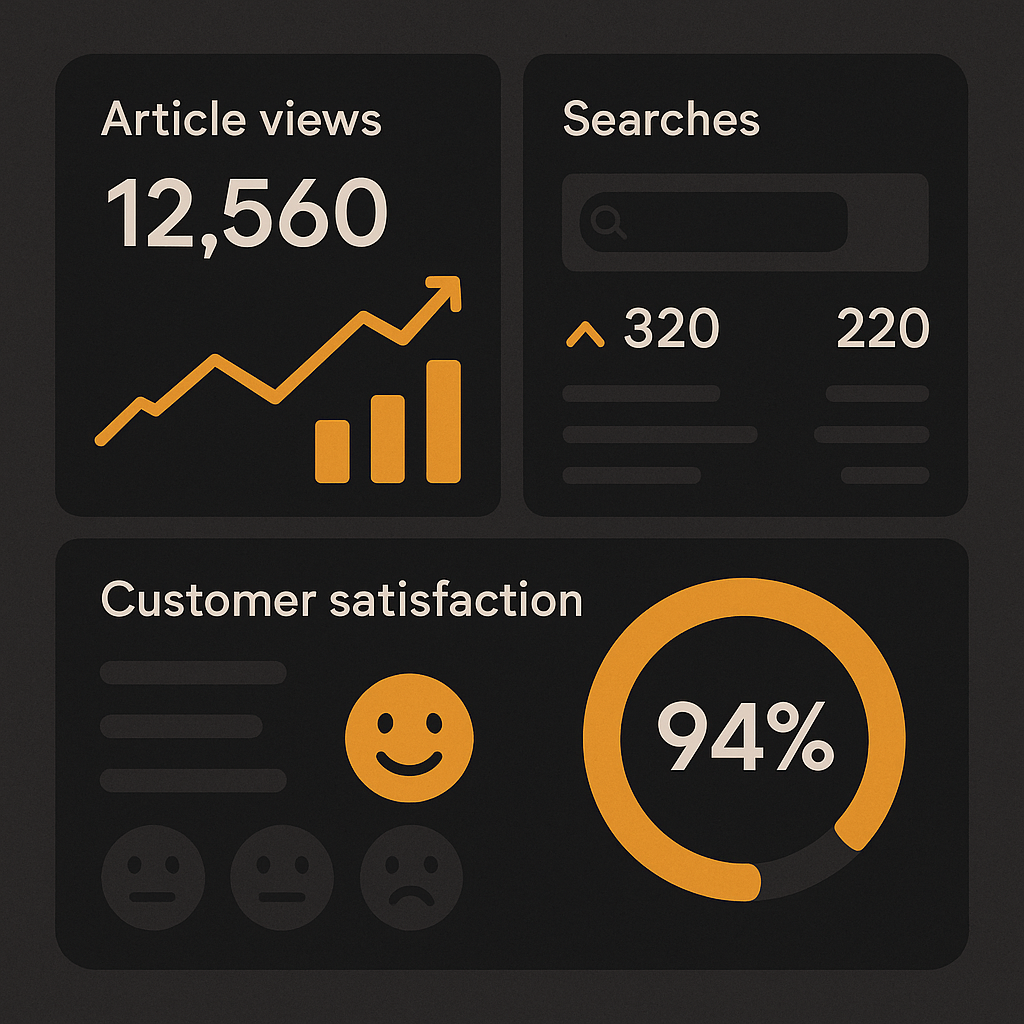
Tracking which articles get the most views provides insight into common customer issues and interests. High-traffic articles indicate frequently asked questions, revealing where your customers need the most help. Conversely, articles with very low engagement might be outdated or irrelevant and require revision or removal.
How to measure: Use analytics tools that track page views, clicks, and time spent on each knowledge base article.
2. Search Effectiveness
Monitor how often customers find what they’re looking for using the search feature. Track search success rates versus no-result searches.
Why it matters: A high volume of zero-result searches signals content gaps or poor search functionality, frustrating customers and increasing support tickets.
Pro tip: Implement AI-powered search that understands natural language queries to boost search accuracy. AItocha offers advanced AI & Analytics to help optimize this aspect.
3. Deflection Rate
This measures how many potential support tickets are avoided because customers successfully resolve their issues via the knowledge base.
How to calculate: (Number of self-service resolutions / Total support inquiries) x 100%
A rising deflection rate means your knowledge base is effectively empowering customers to solve problems independently, reducing agent workload.
4. Customer Satisfaction (CSAT) Scores
Collect feedback on knowledge base articles directly through ratings or comments.
What to look for: High CSAT scores suggest content is clear and helpful, while low scores highlight articles needing improvement.
Integrating feedback loops within your knowledge base lets you make data-driven updates that enhance the customer experience.
5. Resolution Time Impact
Analyze how your knowledge base influences overall ticket resolution times. Support agents who can quickly reference relevant articles resolve tickets faster.
Why track this: A reduced average resolution time improves operational efficiency and customer satisfaction.
AItocha’s QA & Coaching tools can correlate knowledge base usage with agent performance to identify improvement opportunities.
6. Content Freshness and Update Frequency
Regularly updating articles ensures information stays accurate and relevant.
KPI example: Track how often articles are reviewed and revised. Stale content can mislead customers and increase frustration.
7. Search to Article Click-Through Rate
This metric shows how often customers click on an article after searching a relevant term.
A low click-through rate may indicate that search results are not well matched to queries or titles are unclear.
How to Use These KPIs to Improve Your Knowledge Base
- Identify Content Gaps: Use search failure and low article views to pinpoint missing or underperforming content.
- Prioritize Updates: Focus on high-traffic or low-CSAT articles for revision.
- Enhance Search: Improve search algorithms and query interpretation with AI tools to boost success rates.
- Agent Training: Use resolution time and QA insights to train agents on leveraging the knowledge base.
- Customer Feedback: Incorporate user ratings for continuous content improvement.
Leveraging Technology for KPI Tracking
Platforms like AItocha provide integrated solutions to manage and measure knowledge base performance effectively. Features such as Knowledge Base analytics, AI & Analytics, and QA & Coaching offer deep insights into content impact and agent usage.
Monitoring KPIs within a single platform streamlines analysis and accelerates improvements.
Real-World Example: How Monitoring KPIs Boosted Support Efficiency
A mid-sized SaaS company tracked their knowledge base KPIs and discovered:
- Certain articles had high views but low CSAT scores, prompting targeted rewrites.
- Search success rates were below 60%, leading to deployment of enhanced AI-powered search.
- Deflection rates grew by 25% within six months, reducing ticket volume and agent burnout.
This data-driven approach enabled continuous refinement of content and support workflows, improving both customer satisfaction and operational efficiency.
Conclusion: Focus on What Matters
Effective knowledge base management hinges on tracking the right KPIs to guide content strategy and support operations. Prioritize metrics like article usage, search effectiveness, deflection rate, and customer satisfaction to measure true impact.
By integrating these KPIs into your support strategy and leveraging tools like AItocha’s Knowledge Base and AI & Analytics, you can optimize your knowledge base continuously, reduce support costs, and improve customer experience.
For a deeper dive on how to scale support with knowledge bases, check out our post on How Top Companies Use Knowledge Base Management to Scale Support.